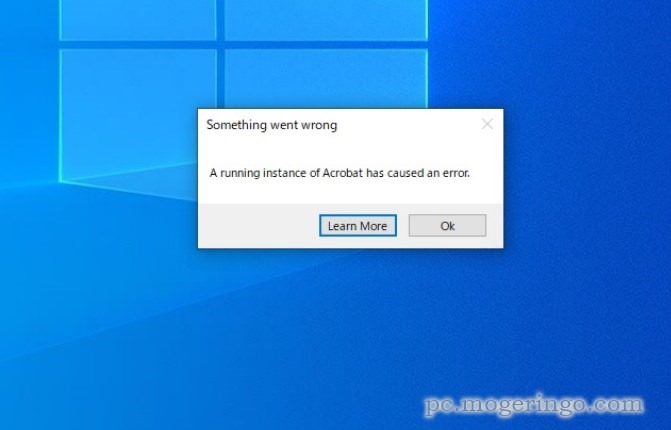
Electron apps crash when they call clipboard.readImage() on malformed image data in the system clipboard. This triggers a denial-of-service via a controlled abort in the image construction code. No memory corruption or remote code execution possible—just a hard process crash.
The vulnerability hits any Electron-based desktop app that reads images from the clipboard without checks. Think Slack, Discord, VS Code, or custom tools pasting screenshots. If a user copies a corrupted image—say, from a malicious webpage or bad file—the next clipboard.readImage() call kills the app. Electron powers over 50,000 apps on npm alone, with billions of installs across major titles. A single poisoned clipboard entry disrupts workflows for millions.
Technical Breakdown
Here’s how it fails: clipboard.readImage() attempts to decode clipboard image data into a bitmap. Decode fails on garbage input, yielding a null bitmap. Electron passes this unchecked to NativeImage::CreateFromBitmap(), which aborts on null pointers. Boom—process exits. This stems from sloppy null handling in Electron’s clipboard module, tied to Chromium’s Skia graphics engine.
Not all apps trigger it. Only those explicitly calling clipboard.readImage() suffer. Background clipboard watchers or text-only pastes? Safe. Attack vector stays local: an attacker needs physical access or social engineering to paste bad data. Still, in shared environments like offices or cafes, it’s trivial. No privilege escalation, but repeated crashes annoy users and force restarts.
Electron labels this [LOW] severity. Fair call—CVSS base score likely sits around 5.5 (local DoS, low complexity). Compare to past Electron flaws like the 2023 sandbox escape (CVE-2023-28100, high sev) or renderer RCEs. This one’s contained, but underestimates real-world pain for power users relying on clipboard-heavy apps.
Fixes and Mitigation
Patch immediately if vulnerable. Fixed versions:
42.0.0-alpha.541.1.040.8.539.8.5
Upgrade via npm update electron or your package manager. Electron’s LTS branches (like 40.x, 41.x) get backports, minimizing breakage. Devs on older forks? Audit your clipboard code now.
Workaround: Probe formats first with clipboard.availableFormats(). Check for image MIME types like image/png or image/jpeg before reading. Example:
const { clipboard } = require('electron');

if (clipboard.availableFormats().some(format => format.startsWith('image/'))) {
  try {
    const image = clipboard.readImage();
    if (!image.isEmpty()) {
      // Use image
    }
  } catch (e) {
    console.error('Failed to read image:', e);
  }
}
This shrinks the attack surface but doesn’t eliminate it—malformed but detectable images still crash. Full upgrade beats band-aids.
Why This Matters
Clipboard ops feel mundane, but they’re core to productivity apps. Electron’s dominance—1% of desktop apps, per Stack Overflow surveys—amplifies reach. A crash mid-paste in a video call or code editor? Lost time, frustration. In enterprise, it cascades: IT tickets spike, users blame the app.
Broader lesson: Null checks aren’t optional in cross-platform graphics. Electron’s Chromium base inherits Skia quirks; devs must wrap API calls defensively. Security teams, scan your estate—electron --version in app dirs flags laggards. Report to security@electronjs.org for questions.
Electron’s team disclosed responsibly, with quick fixes across branches. Skeptical eye: Why ship without bounds checks initially? But credit where due—they own it. Update, verify, move on. Your clipboard’s safer now.